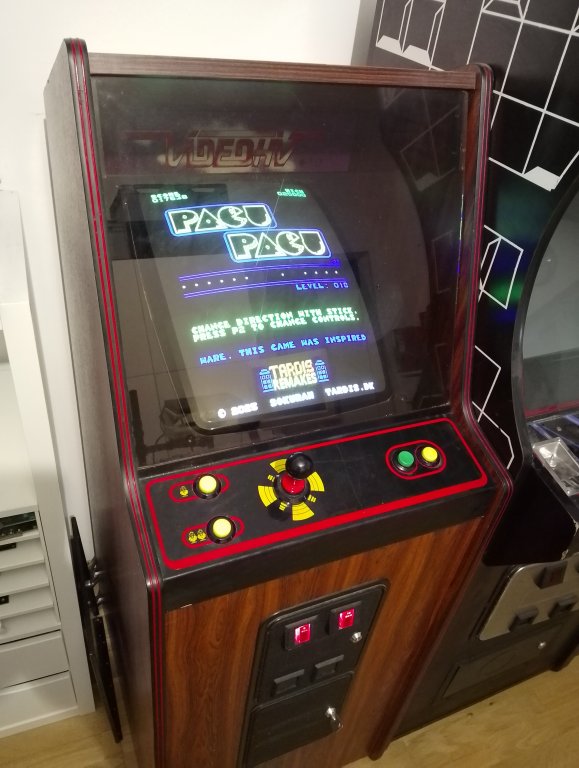
| ‘Pacu Pacu’ is a simple high-speed action game, coded in Z80 assembly language, and designed to run on the original Pac-Man arcade hardware from 1980, but can also be played on a PC using an emulator.
|
 |
Download ROM image as a ZIP file (11KB) |
Current version v1.1 (released August 17th, 2025)
.
This game was inspired by the webgame Paku Paku by Kenta Cho of ABA games, released in early 2024. People have called this game “1D Pacman” and in a way that makes sense – because unlike the original Pac-Man game – which has the player navigating a maze, this game only has a single corridor and a single ghost. It is also a “one-button game”, which means that you only use one key to control the player. Explain it to people and most will say “How is that going to work?“, but despite its simplicity it distills the gameplay into its most basic elements and somehow manages to retain a high difficulty level anyway. This arcade version is a bit easier than the web version though.
.
As mentioned, it’s been designed to run on the original arcade hardware from 1980 – which means having access to a chip-burner and an original arcade machine, obviously … but luckily that’s not really a requirement, as you can use an arcade emulator and easily play the game on a PC too. More about that below.
.
Here’s a couple of screenshots from the game.
.
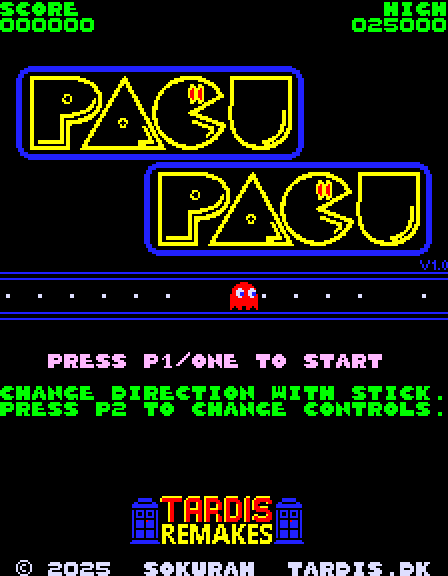
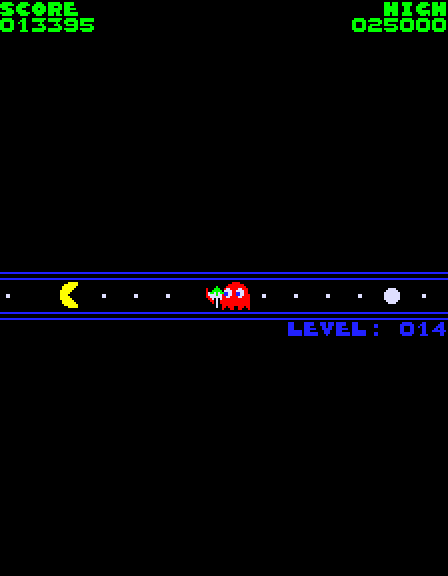
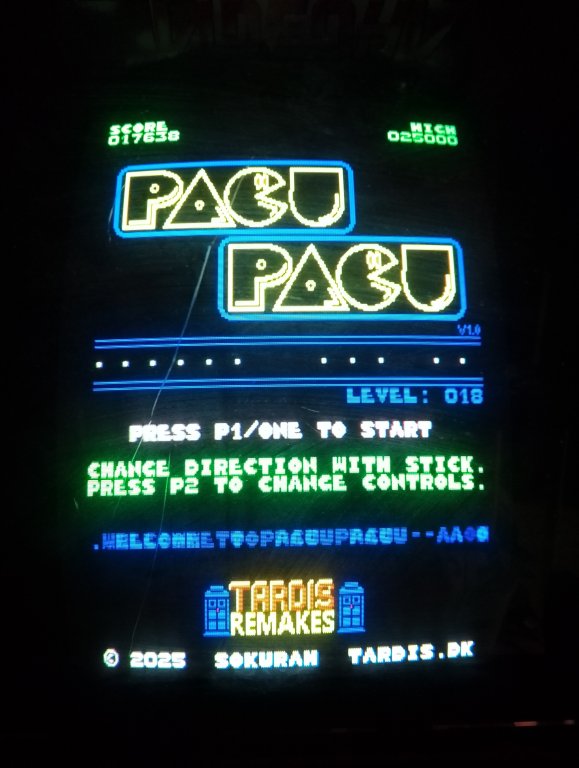
.
Gameplay descripton:
Well, it’s basically Pac-Man, so it shouldn’t be necessary to explain it in more detail than “Eat the pills and the fruits and avoid the ghosts. Get as far as you can“.
Well, it’s basically Pac-Man, so it shouldn’t be necessary to explain it in more detail than “Eat the pills and the fruits and avoid the ghosts. Get as far as you can“.
.
Installation:
There are two ways to play this game. The most “niche” way is to use an EPROM burner to write the contents of the files onto EPROM chips and put them into a real arcade machine … but the number of people that will do that can probably be counted on one hand 😆
There are two ways to play this game. The most “niche” way is to use an EPROM burner to write the contents of the files onto EPROM chips and put them into a real arcade machine … but the number of people that will do that can probably be counted on one hand 😆
.
Luckily “less nerdy” people (😄) can also play it on a regular PC and for that you need the MAME emulator. If we assume you install MAME into the folder C:\MAME\ then the ZIP file that you have downloaded needs to be renamed to “pacman.zip” and put in the C:\MAME\ROMS\ folder.
MAME has a nice graphical interface, however, to play this game, you have to start it from the command line instead. What that means is that you need to open a command (DOS) prompt in the installation folder and type “mame pacman” to start the game.
.
Controls:
It’s a one button game, so to turn the player character around you don’t actually use the up/down/left/right directions – you can use any direction (I usually use the “down” key) or the Player 1 start button (“1” on a keyboard) to turn change the direction of the player. You can also use the “P2 Start” button during the game to quit and return to the main menu.
It’s a one button game, so to turn the player character around you don’t actually use the up/down/left/right directions – you can use any direction (I usually use the “down” key) or the Player 1 start button (“1” on a keyboard) to turn change the direction of the player. You can also use the “P2 Start” button during the game to quit and return to the main menu.
.
Legal blurb:
This game is FREEWARE and must remain freeware. No money should change hands in the distribution of this game. I would also ask that the game will only be available from this website.
This game is FREEWARE and must remain freeware. No money should change hands in the distribution of this game. I would also ask that the game will only be available from this website.
.
Copyright:
All code written by Søren Borgquist – aka. Sokurah
All code written by Søren Borgquist – aka. Sokurah
.
Acknowledgements:
Namco – for making Pac-Man back in 1980. Such a great game.
The MAME team – for their awesome MAME emulator.
Kenta Cho of ABA games – for coming up with the idea for the web game “Paku Paku”.
Chris Lomont – for his invaluable document about the hardware used in making this game.
Georgian2 – for all his very valuable feedback that made this game much better, and for testing it on the real hardware.
Namco – for making Pac-Man back in 1980. Such a great game.
The MAME team – for their awesome MAME emulator.
Kenta Cho of ABA games – for coming up with the idea for the web game “Paku Paku”.
Chris Lomont – for his invaluable document about the hardware used in making this game.
Georgian2 – for all his very valuable feedback that made this game much better, and for testing it on the real hardware.
.
Version history:
v1.0 – August 6th, 2025
v1.0 – August 6th, 2025
v1.1 – August 17th, 2025 (big changes to the difficulty and some minor cosmetic changes).
Enjoy 🕹️


