
Jetpac (Arcade version) is an action game for the Taito L System arcade hardware.
It’s a “fly around and shoot at aliens“-type game
|
TL;DR version: Jetpac is a classic shoot’em’up game for the ZX Spectrum computer, that has now been ported to Taito’s L System arcade hardware (specifically to ‘Plotting‘). Basic information: Jetpac is a platform video game originally developed and published by Ultimate Play the Game and released for the ZX Spectrum in 1983 (and subsequently ported to many other platforms since). The game follows Jetman as he must rebuild his rocket using a jet pack in order to explore different planets, while simultaneously defending against hostile aliens (read more here). Why?: Back in 2018 I coded a remake of the Commodore 64 version of SQIJ for the ZX Spectrum – a game that was famously and literally unplayable on the Spectrum. Shortly afterwards I ported that to Taito’s L System and ever since I’ve wanted to do something else for that platform. Sometime over the summer of 2026 it occurred to me that Jetpac – which is a pure action Shoot ‘Em Up game – would be perfect to port to an actual arcade platform … and here we are. |
 |
Download ROM file for use with the MAME emulator (42 KB). |
Current version v1.0 (released 14th October, 2026).
Here is a couple of screenshots from the game.
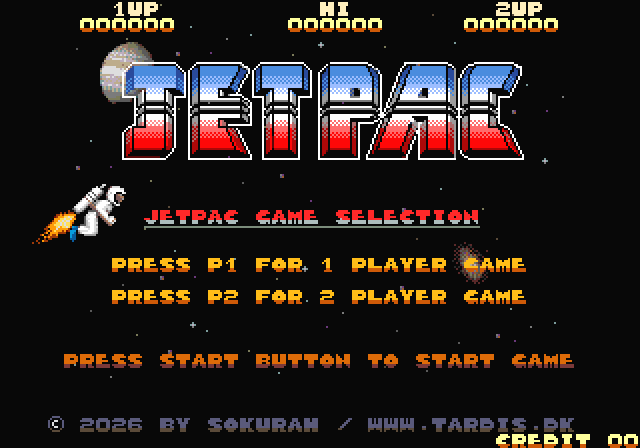
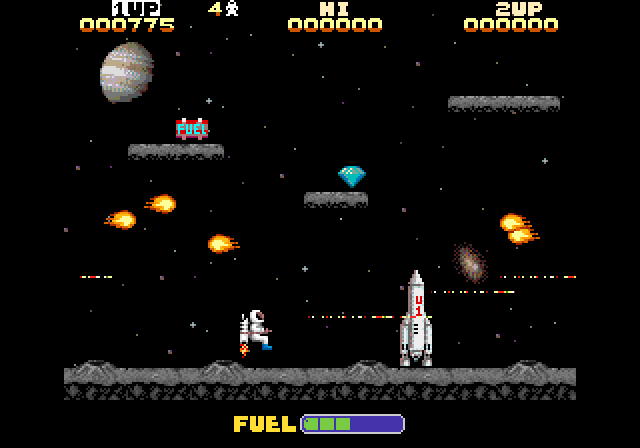
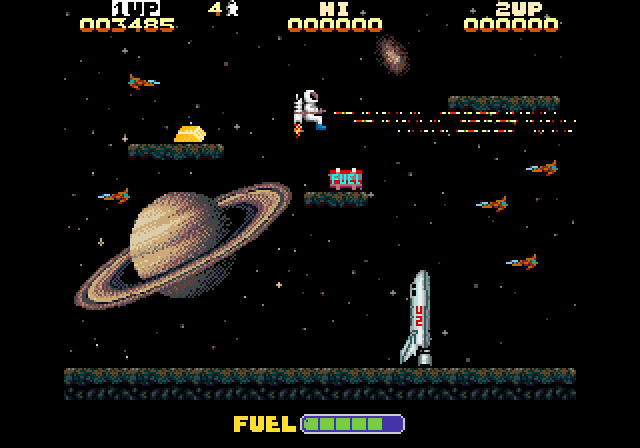
As explained above, you play as Jetman and must rebuild your rocket and then refuel it in order to explore different planets, while simultaneously defending against hostile aliens. There are 4 different rockets to build and each rocket has to be refuelled 4 times to progress to the next rocket. Manage to play all the way through, and you will start from the beginning again, racking up even more points.
Nice to know:
This is not a game you “just” play on your PC – you can, but there’s a bit more to it than that. The game has been coded for an actual 80’s arcade platform, so you have to use an emulator, but luckily MAME exists. MAME emulates arcade hardware and maps joysticks and buttons to the keyboard so you can play the old (and in this case, new) games on your PC. This game has been coded to run on Taito’s Plotting hardware, so while this game is called “Jetpac”, the file that you drop into your MAME installation is should be called “plotting.zip” (rename the file you download), replacing that game (if you have already have it).
Installation:
Place the ‘plotting.zip’ file in your ROMS folder under your MAME installation folder (you don’t have to unpack it … but you can also unpack the files into a ‘Plotting’ folder).
Notice that the file is called ‘plotting.zip’ because it will replace that game in MAME (you can also rename the files in the archive and run it as ‘plottingb.zip‘). You will also have to start the game from the commandprompt with “mame plotting” as trying to run the game from the GUI will throw up an error. Alternatively, I’m sure it’ll be included in HBMAME (HomeBrewMAME), in which case it’ll be possible to run from the GUI.
All the above are if you are going to play the game on an emulator, but if you have an original Plotting arcadeboard and a chip burner, then it should run on the original hardware too. That was the whole idea of it. But here’s the thing, MAME doesn’t emulate the arcade hardware exactly, only well enough to run it emulated – it’s possible to code something that will work in MAME, but won’t work on the real hardware, so until someone tries it out on the real hardware, I can’t gurantee that it will work on the real board. Hopefully someone will try and get back to me if there are anything that needs to be fixed (that was the case with SQIJ).
Controls:
Use the joystick and the buttons mentioned on the screen. As this is an arcade game remember to “insert coin” with the “5” key before you can play (start a game with keys 1 or two for a one or 2 player game).
Legal Blurb:
This game is FREEWARE and must remain freeware. I would also ask that the game will only be available from this website.
Copyright and credits:
The original ZX Spectrum game was developed and published by Ultimate Play the Game and written by Ultimate co-founder Chris Stamper.


